
Introducing the Listing Audit: A Same-Day Health Check for Your Airbnb
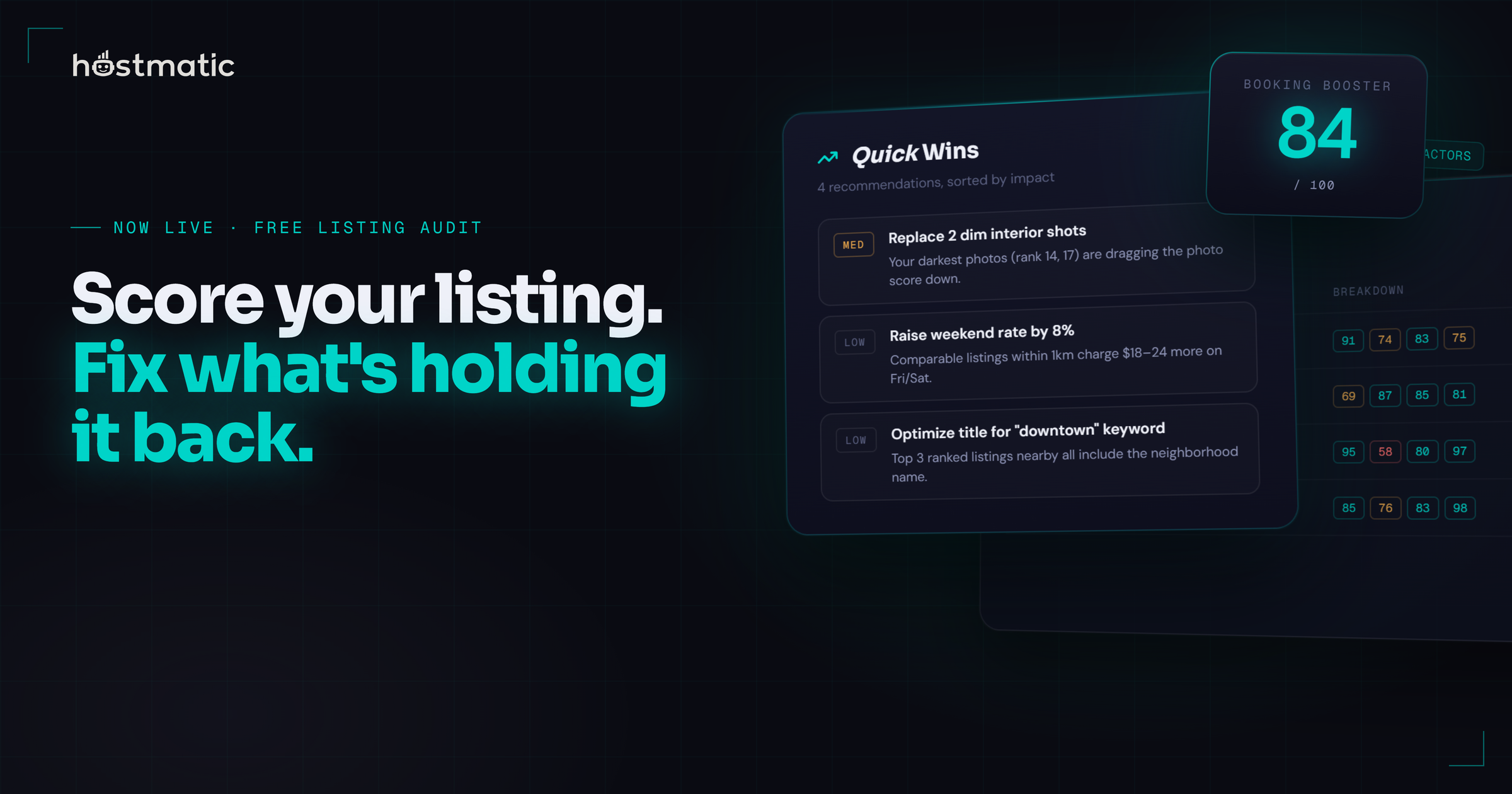
You know that feeling when bookings dip and you can't tell whether it's the cover photo, the title, the price, or just the season? We built the Listing Audit to answer that question on one screen — and it's live in your dashboard today.
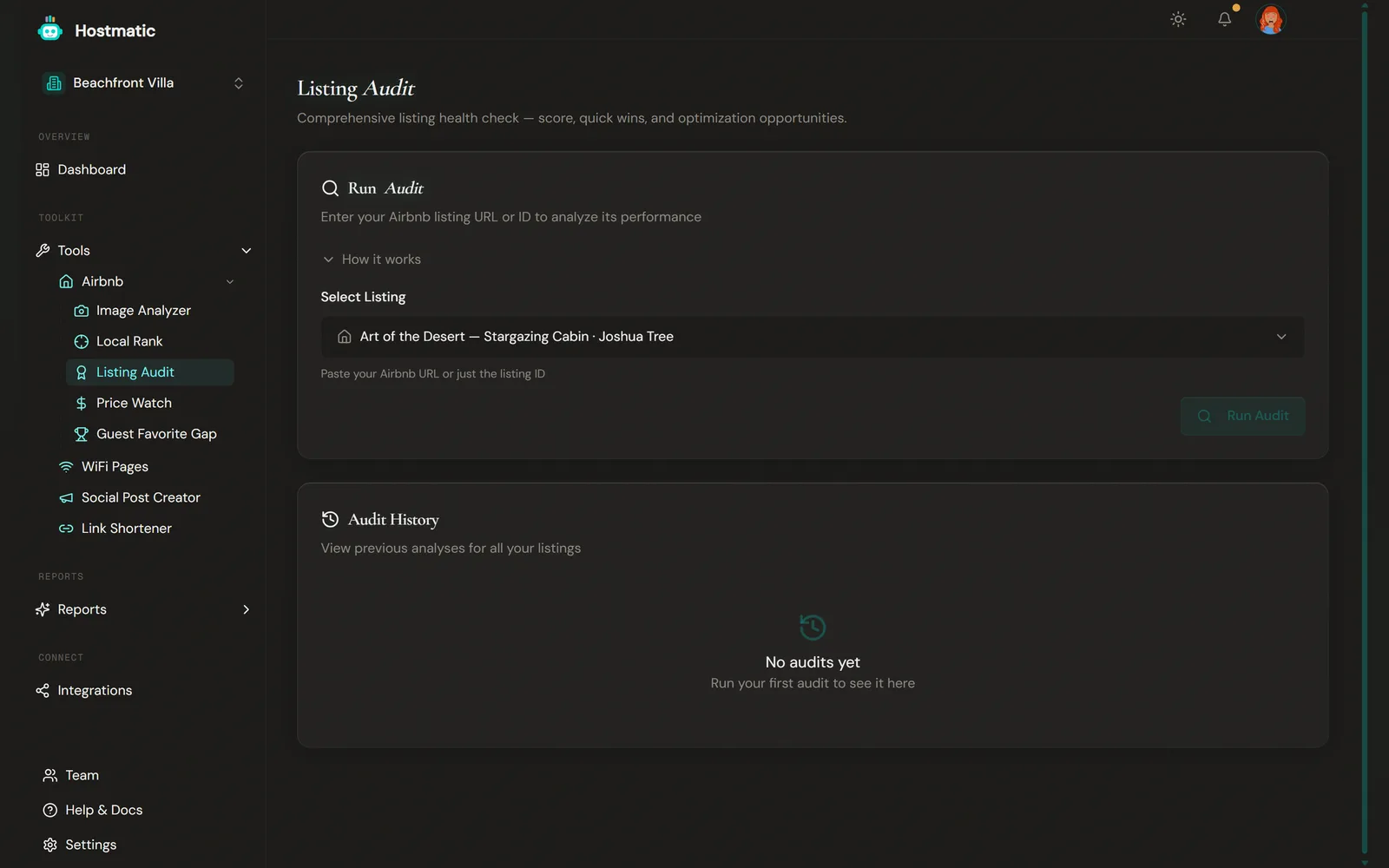
Open Tools → Airbnb → Listing Audit, pick a connected listing (or paste any Airbnb URL), and 30–60 seconds later you'll have a Booking Booster Score from 0–100, sub-scores for every part of your listing that influences bookings, and a ranked list of Quick Wins you can knock out the same day.
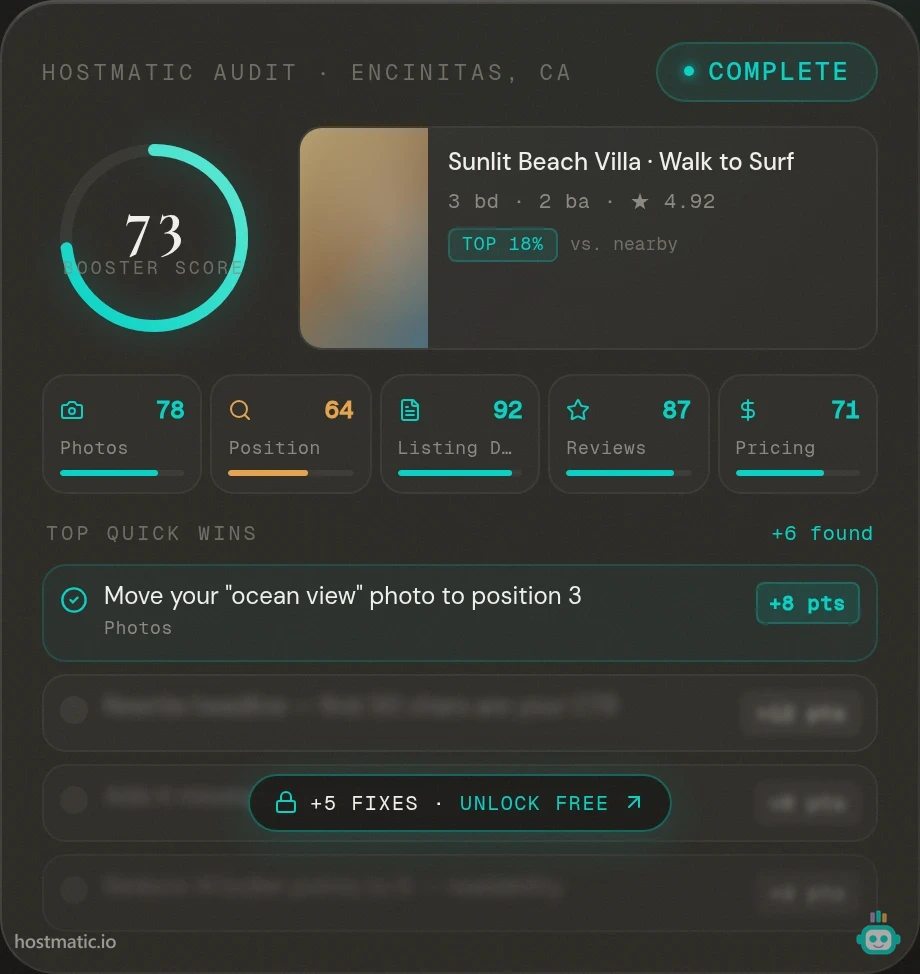
One number, five buckets
The Booking Booster Score is a single 0–100 grade, but underneath it's a weighted average of five scored buckets. The weights aren't a guess — they're built on a proprietary scoring formula informed by peer-reviewed research, including a study of 510,000 listing images that found verified high-quality photos drive 17.51% more bookings.
- Photos (30%) — per-photo AI quality scoring, cover-photo CTR pattern match, missing-room detection, and ordering.
- Position (25%) — a live pull of where you actually rank in Airbnb search against your comp set, including filtered searches (pet-friendly, instant book, etc.).
- Reviews (20%) — an NLP scan of your recent reviews that surfaces repeating positives to lean into and complaints to fix, even when they're buried inside 5-star reviews.
- Completeness (15%) — title CTR patterns, missing amenities vs. your high-performing neighbors, description readability, and house rules.
- Pricing (10%) — where your nightly rate sits relative to proximity-filtered comps of similar size, room type, and amenity tier.
Quick Wins, first
Every report opens with the Quick Wins panel — a prioritized, clickable list of the highest-impact issues with concrete suggestions like "Add 'beachfront' to your title — it's the top-searched term in your market." You don't have to scroll, hunt, or interpret. Top to bottom, fix in order, done.
Each row jumps to the section detail, so when a Quick Win says your cover photo is in the wrong slot, one click takes you to the photo analysis with the full reasoning and the next-best ordering.
Run it once, then run it again
The audit is built around a cycle: run it, fix two or three things on Airbnb, then click Rescan from the history table. Your new score appears the same day. Add a scan note like "raised price to $185" or "new cover photo" and three months from now your audit history actually tells you which changes moved the needle.
Credits and a tip to halve the cost
A fresh audit costs 10 credits. If you ran the Image Analyzer on the same listing in the last 7 days, the audit borrows that photo analysis instead of paying for it twice — dropping the cost to 5 credits. The discount kicks in automatically.
The practical workflow: when you're auditing a listing for the first time, run the Image Analyzer first. You get richer per-photo feedback and the follow-up audit is half price.
Share the report
Every finished audit generates a clean public link with an OG card — useful for sharing with a co-host, a property manager, or a designer you're briefing on a photo refresh. The full per-section detail is gated behind a quick email reveal on the public version, so you can send it without exposing your full account.
Try it now
Head to Tools → Airbnb → Listing Audit, pick a listing, and run your first scan. If you'd rather see the methodology before you spend a credit, the methodology page walks through every signal and the research behind the weights.
An evergreen deep-dive on how we use the audit to grow bookings is coming next — but the tool itself is ready for you today.
Want to dive into your booking analytics and uncover what drives bookings?
Get StartedNewsletter
Get hosting tips in your inbox
Strategies, trends, and insights. No spam.