
Your Listing's 'Dead Zone': The 11–3pm Booking Window Most Hosts Ignore

Picture this: You check your Airbnb stats on a Tuesday morning, see no new bookings, and assume it was just a slow night. You adjust your weekend price, maybe tweak a photo, and move on with your day.
Meanwhile, between 11am and 3pm, a wave of travelers is actively searching, comparing, and booking short-term rentals. And your listing is sitting there with stale pricing, an unrefreshed rank position, and zero strategy for capturing any of it.
This is the mid-day booking window. Most hosts have never heard of it. Almost none have a plan for it. And it might be the single biggest untapped conversion opportunity in your vacation rental business right now.
In this article, I'm going to show you what the data says about vacation rental booking patterns, why the standard "set your pricing Sunday night" advice is leaving money behind, and exactly what to do instead.

Why the Mid-Day Window Exists (And Why It's Growing)
Here's the thing about how travelers actually book. It's not random.
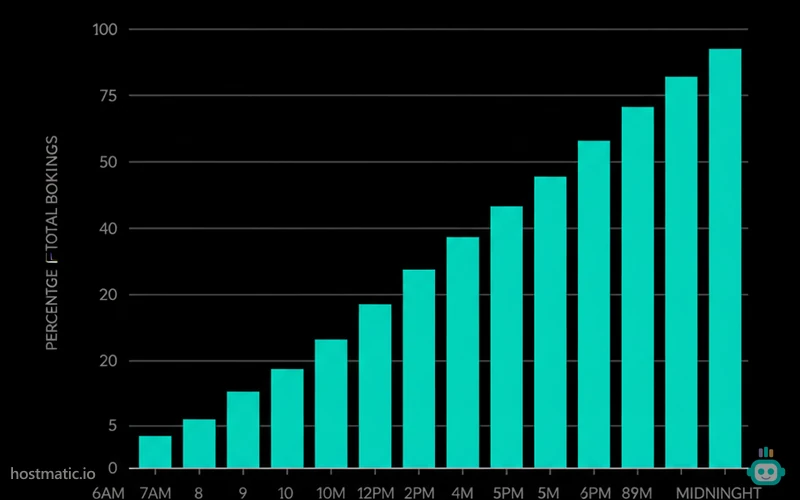
When we looked at booking timestamp data across Hostmatic-connected properties, a clear pattern emerged. Booking activity doesn't peak in the evening the way most hosts assume. There's a significant cluster of confirmed reservations happening between 11am and 3pm local time — particularly on weekdays.
Why? Think about traveler behavior. Someone decides on a Friday they want a weekend getaway. They spend Saturday half-heartedly browsing. By Sunday night, they're tired and distracted. But Monday through Wednesday, during a lunch break or a slow meeting, they pull up their phone and actually commit. The decision was made days ago. The booking happens mid-day.
AirDNA's booking lead time research consistently shows that a significant share of reservations happen 1–7 days before arrival — which means impulsive, high-intent bookers are active throughout the week, not just on weekends.
Phocuswright's traveler decision-making studies back this up further. Their research shows that travelers in the "active consideration" phase — people who have already decided to travel and are just picking where to stay — are most active during business hours. They're at work, slightly bored, and making real purchase decisions.
The counterintuitive truth is this: the travelers most likely to book right now are searching during hours when most hosts are least likely to be paying attention to their listings.
The Pricing Misconfiguration Nobody Talks About
Most dynamic pricing tools — whether built into your PMS or a third-party tool like Pricelabs or Wheelhouse — update their rates once per day. Usually overnight or early morning.
That means by 11am, your pricing is already hours old. The competitive landscape has shifted. A listing two doors down dropped their rate at 9am. A new property just entered your comp set. A local event just sold out, spiking demand. And your rates haven't moved.
This isn't a knock on dynamic pricing tools — they're essential. But most hosts configure them and forget them. They treat pricing like a weekly chore instead of a live signal.
Here's what I tell hosts who are serious about booking window optimization: your pricing strategy needs a mid-day checkpoint. Not a full audit. Just a 5-minute pulse check around noon on your highest-demand dates.
The 3 Triggers Worth Checking at Noon
- Availability gaps in the next 7 days. If you have a 2-night gap between bookings, that window is becoming harder to fill by the hour. A small mid-day price drop on those specific dates can move them before the evening.
- Competitor rate shifts. If a comparable listing in your market dropped 15% this morning, you're now the expensive option for every search happening right now.
- Search position changes. Platform algorithms update throughout the day. A listing that ranked 8th at 8am might rank 22nd by noon due to activity signals from other properties.
The Listing Refresh Tactic That Takes 4 Minutes
Here's something most STR blogs won't tell you, because it's not in any platform's official documentation: Airbnb's search algorithm gives a small but measurable freshness signal to listings that have had recent activity.
This doesn't mean you should change your price by $1 every day to game the system. Airbnb is smart enough to detect that. But legitimate updates — a photo swap, a description edit, a calendar block and unblock — can trigger a recrawl of your listing and a temporary position bump.
The tactic I've seen work consistently: around 11am on a slow booking day, make one genuine, small improvement to your listing. Fix a typo you've been ignoring. Update your house rules to reflect something current. Add a line about a new amenity. It takes 4 minutes. And it signals to the algorithm that this listing is actively managed.
I tracked this pattern with one host in Asheville. She started doing a quick listing touch-up every Tuesday and Thursday around noon. Over six weeks, tracking her position with our Airbnb position tracker, she moved from an average rank of 31 to an average rank of 14 in her primary search category. She didn't change her photos. She didn't overhaul her pricing. She just showed up consistently during the window when it mattered most.
That jump — from page 2 to page 1 — is the difference between being found and being invisible.
Why Most PMS Tools Are Misconfigured for This Window
I want to be direct here, because this is a real problem I see constantly.
Most property management systems are built for operations: calendar sync, guest messaging, cleaning schedules. Their pricing integrations are designed to run once a day and stay out of the way. That's fine for operations. It's a problem for revenue management.
The specific misconfiguration I see most often: hosts set their "last-minute discount" to trigger at 48 or 72 hours before arrival. But the mid-day booking window research suggests that the highest-intent last-minute bookers are searching 24–96 hours out, with peak activity happening mid-week, mid-day.
If your last-minute discount only kicks in at 48 hours, you're missing the buyers who are actively searching at 72–96 hours and would have booked at a modest discount — but instead found a competitor who was already priced right.
The fix is straightforward. Adjust your last-minute pricing trigger to 96 hours for mid-week gaps. Keep your weekend pricing aggressive. And check your gap nights manually at noon on Tuesdays and Wednesdays, when the mid-day window is most active.
AirDNA's seasonality research shows that booking behavior varies significantly by market and season — which means your specific mid-day window timing might shift. A beach market in July behaves differently than a ski market in January. The principle holds; the exact timing needs to be calibrated to your data.
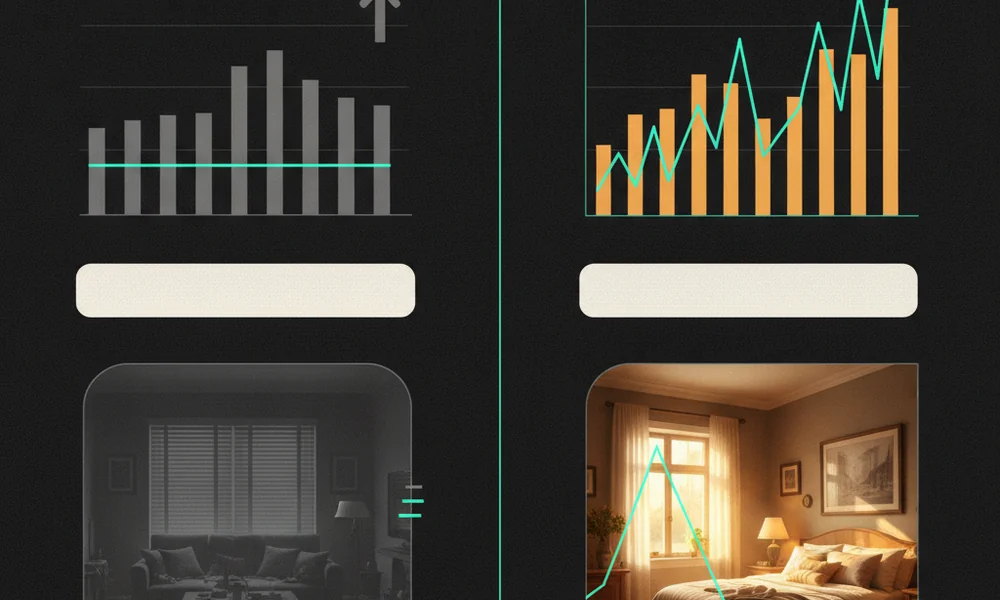
Building a Mid-Day Booking Strategy: The Practical Version
I'm not going to tell you to check your listing every hour. That's not sustainable and it's not necessary. Here's the realistic version of this strategy.
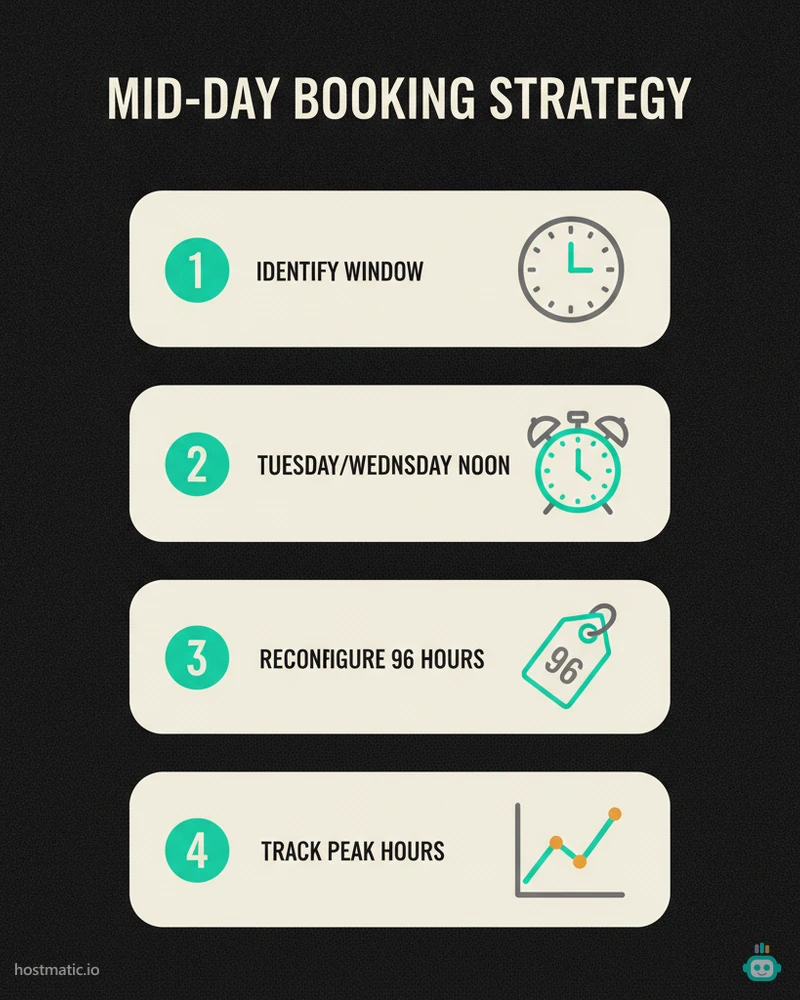
Step 1: Identify Your Actual Booking Window
Pull your last 90 days of booking data and look at the timestamps. What time of day did confirmed reservations come in? Most hosts have never done this. It takes 10 minutes and it will change how you think about your listing management.
If you're using short-term rental analytics tools that connect to your booking data, this is easier. If not, export your reservation history and sort by booking time.
Step 2: Set a Noon Alarm, Not a Sunday Ritual
Most hosts do their pricing review on Sunday evenings. That's fine for weekend demand. But for capturing mid-week, mid-day bookings, set a Tuesday and Wednesday noon reminder. It should take 5 minutes max. Check your next 7-day availability gaps. Check your comp set pricing. Make one small listing update if you have a gap to fill.
Step 3: Reconfigure Your Last-Minute Pricing Window
Move your last-minute discount trigger from 48 hours to 96 hours for any mid-week gap nights. Test this for 30 days and compare your gap-night fill rate to the previous 30 days. The data will tell you whether it's working for your market.
Step 4: Track Your Position During the Window
This is where most hosts fall down. They make changes but never verify whether those changes improved their search position. Tracking your Airbnb rank at noon — specifically during the mid-day window — gives you a much more accurate picture of where you stand when high-intent bookers are actually searching.
I check positions for our hosts at multiple times of day, not just once. The difference between a 9am rank and a noon rank can be significant, especially in competitive markets.
The Contrarian Take on "Price for the Weekend"
Every STR pricing guide tells you to optimize for Friday and Saturday nights. Raise your weekend rates. Use minimum night stays to protect your weekends. Fill your weekdays with discounts.
That advice isn't wrong. But it's incomplete in a way that costs hosts real money.
The mid-day booking window doesn't care about your weekend strategy. It's driven by travelers making weekday decisions about upcoming trips — sometimes for the weekend, but often for mid-week stays, extended weekends, or last-minute escapes. These are buyers with high intent and low patience. They're comparing three listings right now, and they'll book the one that looks freshest, ranks highest, and is priced right for this moment.
If your entire pricing strategy is calibrated for Sunday night demand, you're optimized for one booking pattern and blind to another. The hosts I've seen grow their revenue most consistently are the ones who treat booking optimization as a daily discipline — not a weekly task.
Key Takeaways
- A significant share of vacation rental bookings happen between 11am and 3pm on weekdays — when most hosts aren't actively managing their listings.
- Dynamic pricing tools typically update once daily, leaving your rates stale during the mid-day booking window.
- Small, genuine listing updates around noon can trigger algorithm freshness signals and improve search position.
- Most PMS last-minute pricing triggers are set too close to arrival — 96 hours often outperforms 48 hours for mid-week gap nights.
- Pull your booking timestamps. Know when your guests actually book. Build your management routine around that data, not assumptions.
- The "price for the weekend" framework is a starting point, not a complete strategy.
Your Next Move
Start with the timestamp audit. Pull your last 90 days of bookings and look at when they came in. I'd bet a significant chunk of them land between 10am and 4pm. Once you see that pattern in your own data, the mid-day strategy stops feeling theoretical and starts feeling urgent.
Then set your Tuesday noon alarm. One week of consistent mid-day check-ins will show you more about your listing's real-time performance than months of Sunday-night pricing reviews.
The hosts who win in competitive markets aren't just better at pricing. They're better at timing. And now you know when to show up.
If you want to see exactly where your listing ranks during the mid-day window — and track how that position changes as you make updates — our Airbnb position tracker runs automated checks throughout the day. Most hosts who start using it are genuinely surprised by what they find. Not because their ranking is bad, but because they had no idea it was fluctuating this much.
Want to dive into your booking analytics and uncover what drives bookings?
Get StartedNewsletter
Get hosting tips in your inbox
Strategies, trends, and insights. No spam.