
What Gets Synced
With OwnerRez connected, Hostmatic pulls:
- Revenue data — Total revenue, revenue per booking, and ADR (average daily rate)
- Booking details — Check-in/out dates, guest count, booking source, cancellations
- Platform attribution — Which channel each booking came from (Airbnb, Vrbo, Booking.com, direct)
- Property details — Property name and ID
- Nights booked — Worked out from your bookings, and used for occupancy and ADR
Why Connect OwnerRez
A PMS connection is the most data-rich source Hostmatic supports. It unlocks features that aren't possible with calendar-only connections:
| Feature | With OwnerRez | Without OwnerRez |
|---|---|---|
| Revenue tracking | Full revenue data | Not available |
| Platform attribution | Automatic | Not available (iCal bookings all count as Airbnb) |
| ADR and booking value | Yes | Not available |
| OTA Performance | Full metrics | Not available |
| Dashboard Revenue card | Populated | Empty or hidden |
How to Connect
Unlike Guesty, there's no Client ID or Secret to find and paste — OwnerRez uses a direct authorization flow. OwnerRez is not included on the Free plan, which shows "Upgrade Required." Weekend host and Pro host include it. Only property admins and owners can connect integrations.
- Go to Integrations in the sidebar
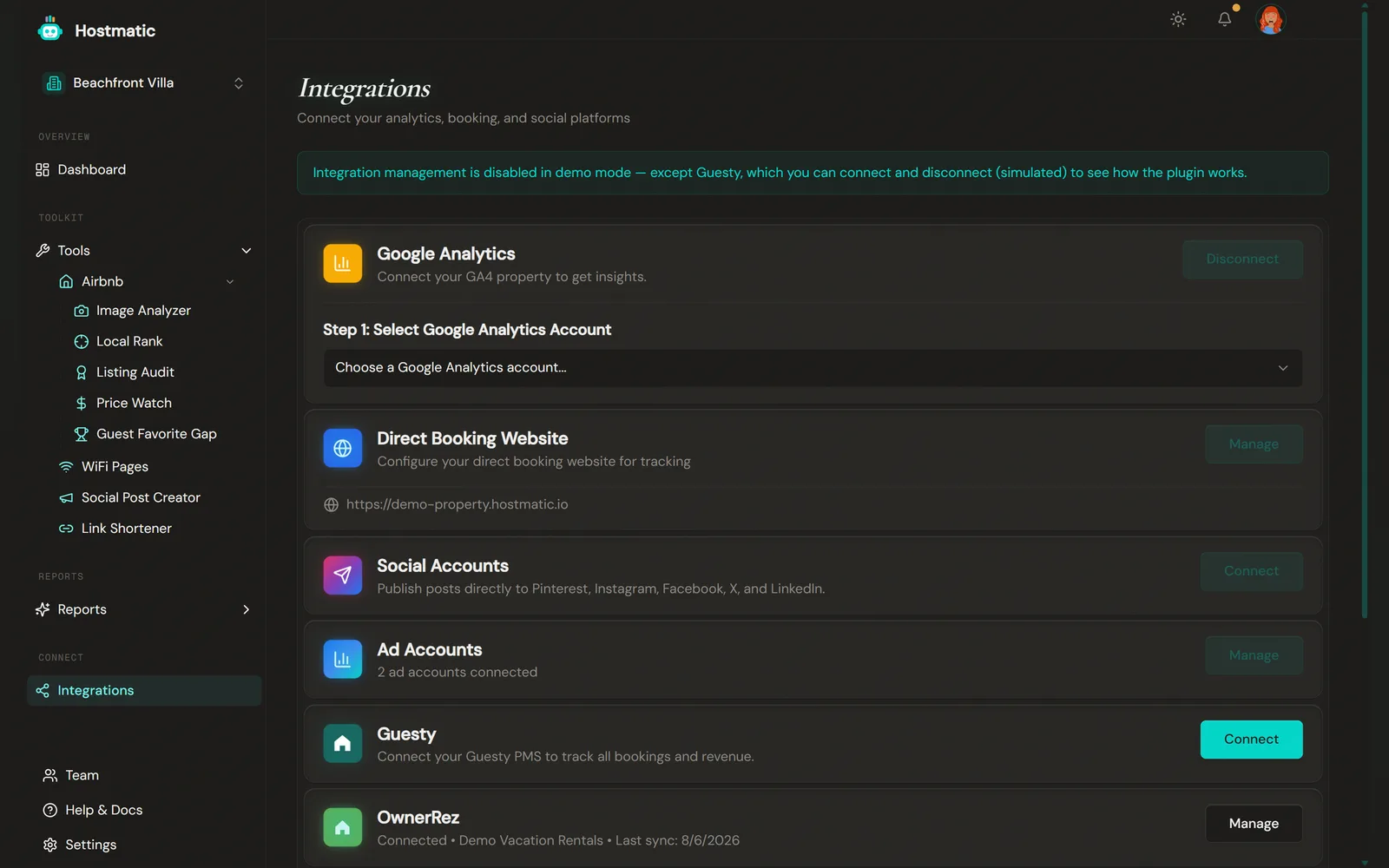
- Click Connect next to OwnerRez — the dialog is titled "OwnerRez Integration"
- Click Connect with OwnerRez
- You're sent to OwnerRez to approve Hostmatic's access, then brought straight back. A "Connected — OwnerRez is now connected — syncing your bookings..." message confirms it.
Hostmatic's access is read-only — it never creates, modifies, or cancels a reservation in your OwnerRez account. Your access token is encrypted at rest.
Real-Time Sync
OwnerRez pushes booking changes to Hostmatic via webhook — new bookings, cancellations, and modifications all show up without waiting for a manual sync. When the webhook subscriptions are in place, the dialog shows "Real-time sync active." The first sync runs automatically right after you connect.
On top of the webhooks, Hostmatic also runs a full OwnerRez sync every night, which catches anything a webhook missed. The nightly sync pauses if you haven't signed in to Hostmatic for 6 months, and resumes when you're back.
To pull the latest data on demand, click Manage on the OwnerRez card, then Sync Now. The Sync button on the Reports Overview page also syncs OwnerRez.
If the connection drops, the Dashboard shows a red "OwnerRez disconnected — it stopped collecting data" banner with a Reconnect OwnerRez button.
Choose Which Listings to Track
Your first sync imports every property in your OwnerRez account. To narrow it, open Manage → Properties to track, pick the properties that belong to this Hostmatic property, and click Save & sync tracked properties.
- Only the properties you select are counted in this property's revenue, ADR, and source mix — so a multi-unit or agency account doesn't dilute a single property's numbers.
- You can change the selection any time. Saving syncs right away and drops bookings from properties you deselected.
- Weekend host can track up to 25 OwnerRez properties per Hostmatic property, Pro host up to 50.
Link Listings to Airbnb (optional)
Under Manage → Link your properties, you can match each tracked OwnerRez listing to its Airbnb equivalent. This lets Hostmatic join your OwnerRez revenue to the right Airbnb listing for cross-channel analytics. Listings you don't have on Airbnb can be skipped. If properties are still unlinked, the connected view shows a Link now banner.
Duplicate Data with iCal Feeds
OwnerRez syncs bookings from every connected OTA (Airbnb, Vrbo, Booking.com, etc.), so if you also have an Airbnb iCal feed connected for the same property, you may see duplicate booking counts. Disconnect the iCal feed once OwnerRez is providing the same coverage.
Booking-Event Tracking for Your Direct Booking Website
If OwnerRez also powers your direct booking website, setting up analytics tracking there needs no code at all — OwnerRez can send booking events straight to Google Analytics 4 itself. In OwnerRez, go to Settings → Advanced Tools → Analytics Tracking and paste your GA4 Measurement ID (found in GA4 Admin → Data Streams). This is a separate setup step from connecting your PMS above — the Set up booking events link on your Google Analytics card walks you through it. One gap: OwnerRez has no way to detect an abandoned checkout, so Hostmatic also offers an optional one-line script if you want that specifically.
Disconnecting
The connected view shows your connected account, total bookings, total revenue, and a Disconnect OwnerRez button. After disconnecting, revoke Hostmatic in OwnerRez (Developer/API Settings) to stop webhooks entirely.
Troubleshooting
No data after connecting
- Confirm the connection completed — you should land back on Integrations with a "Connected" status, not a "Connection Failed" message
- Check that your OwnerRez account has active listings with bookings
- Try disconnecting and reconnecting
Stale data
- Click Manage on the OwnerRez card, then Sync Now (or use Sync on the Reports Overview page)
- If webhooks stop updating data in real time, the nightly sync catches up automatically — or run Sync Now to catch up immediately
- If you see the red "OwnerRez disconnected" banner, click Reconnect OwnerRez — syncing stops until you do