
How to Access
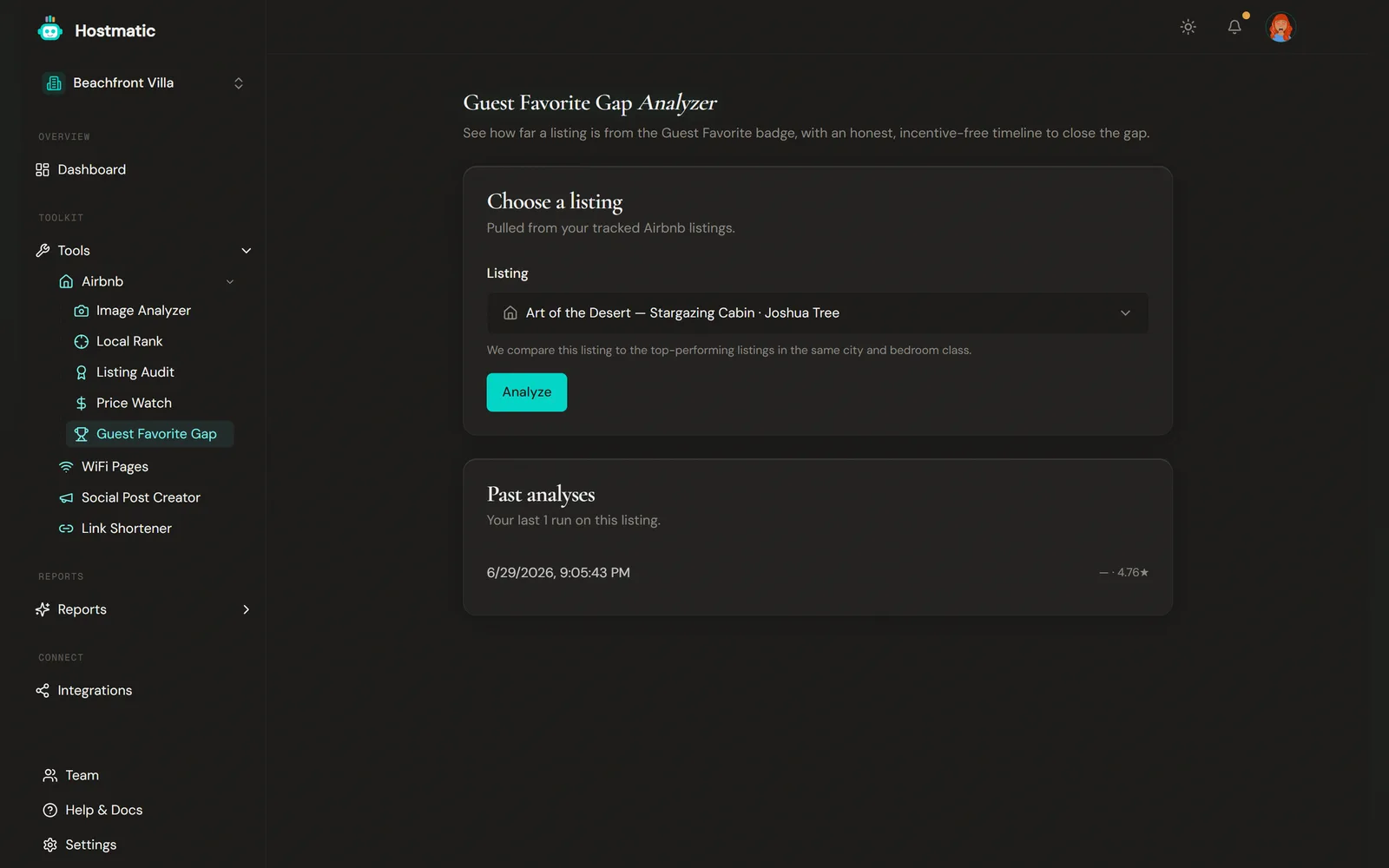
In the sidebar, under Tools › Airbnb, click Guest Favorite Gap. You can also open it from the Airbnb tools hub.
Route: /tools/airbnb/gf-gap.
Step-by-Step
1. Choose a Listing
In Choose a listing, pick one of your tracked Airbnb listings. The listing must already be tracked in Hostmatic. If it isn't, the tool shows Track it with a Listing Audit → — run a Listing Audit first, then come back.
2. Run the Analysis
Click Analyze. The tool pulls your listing's current rating and review count and compares them to Guest Favorite requirements. It uses a Listing Audit from the last 7 days where it has one, otherwise a live fetch, otherwise your latest Price Watch snapshot — the result names its source.
3. Read the Result
What You'll See
Guest Favorite Eligibility
The headline result — a plain-language read on how close you are, based on Airbnb's published Guest Favorite criteria. It shows your rating and review count and a status badge: Guest Favorite, Matches the profile, Building reviews (fewer than 5 reviews), Rating gap (below ~4.9★), or Too new to assess.
The bars it works against: at least 5 reviews, with one in the last two years, to be assessed at all; an official rating floor of 4.8★; and a working target of ~4.9★, since Guest Favorites average about 4.92★.
With a rating gap, it shows how many clean 5★ reviews would lift your average to ~4.9★. If you're building reviews and there's enough history to measure your pace — two or more Listing Audits at least a week apart in the last 90 days — it estimates how many months you need at that pace. Without that history it tells you to check back after a few more scans.
Note: Meeting the rating and review thresholds is necessary but not sufficient. Guest Favorite also weighs signals we can't read from your listing (low cancellation rate, fast responsiveness, a steady run of recent 5★ reviews), and the tool says so plainly rather than promising the badge.
Market Frontier *(when available)*
For markets where we have enough data, you'll also see the observed frontier — the real rating and review levels that Guest Favorite listings in your city and bedroom class actually hit, with sample size, Guest Favorites observed, and a confidence level (low under 20 samples, medium 20–49, high 50+). If we don't have observed data for your market yet, this section doesn't appear. The eligibility result above is your full answer.
Current Standing
Your listing's current rating, review count, and whether it currently holds the Guest Favorite badge (Yes / No / Unknown).
Market Gap & Timeline *(when available)*
Where we have market data, this adds precision: your exact rating and review gaps versus the observed frontier, whether you meet the frontier and the official 4.8★ floor, and — if your review pace can be measured — an estimated timeline to close the review gap.
Local Comparables
If you've run Local Rank on this listing in the last 7 days, this shows how many comparables it tracked and how many are Guest Favorites. The Guest Favorite count shows "—" until every comparable's badge is known.
Past Analyses
Your last 20 runs on a listing are saved. Reopen an earlier analysis to see how your standing has changed over time.
Credits
| Operation | Credits |
|---|---|
| Guest Favorite Gap analysis | 3 |
On the Free plan, the first analysis on each listing is free. Weekend Host and Pro are charged 3 credits from the first run. If a run fails, your credits are refunded. The result shows a "Credits charged" line so you can see what it cost.
How to Use It
- Run it after a batch of new reviews to watch the gap close. Regular Listing Audits also feed the review-pace data the timeline needs.
- Pair it with Listing Audit and Price Watch — the badge follows genuinely strong listings; fixing photos, pricing, and guest experience is what moves the underlying scores.
- Trust the honest empty states. A "Too new to assess" result, or a missing Market frontier section, means the data isn't there to draw a real conclusion — not that something is broken.