
Available on every plan as a credit-based tool. The old Position Tracker subscription is no longer sold; existing subscribers keep access.
How to Access
- In the sidebar, click Tools to expand the menu
- Click Airbnb
- On the Airbnb tools hub page, select Local Rank
What Local Rank Actually Measures
This is the most important thing to understand: Local Rank is not Airbnb search-result rank. Airbnb doesn't expose its real ranking algorithm to anyone, so any tool that claims to show "your Airbnb search position" is making it up.
Instead, Local Rank answers a question that's both honest and more useful:
"Out of the comparable listings a guest searching my area would actually shortlist, where do I sit on quality signals — and is that improving?"
The pipeline:
- Find comparables — Hostmatic pulls the listings Airbnb shows as similar to yours (or, if none come back, nearby listings within about 25 km)
- Filter for fit — keeps listings of the same property type, within ±2 guests and ±1 bed of yours
- Filter for reviews — drops listings with no reviews or rating yet
- Rank by trust score —
rating × log(reviewCount + 1)puts highly-rated, well-reviewed listings at the top - Report your position in that ranked list
Trust score is used because guests in practice care about both rating and volume — a 5.0 with 3 reviews is a different signal from a 4.92 with 240 reviews.
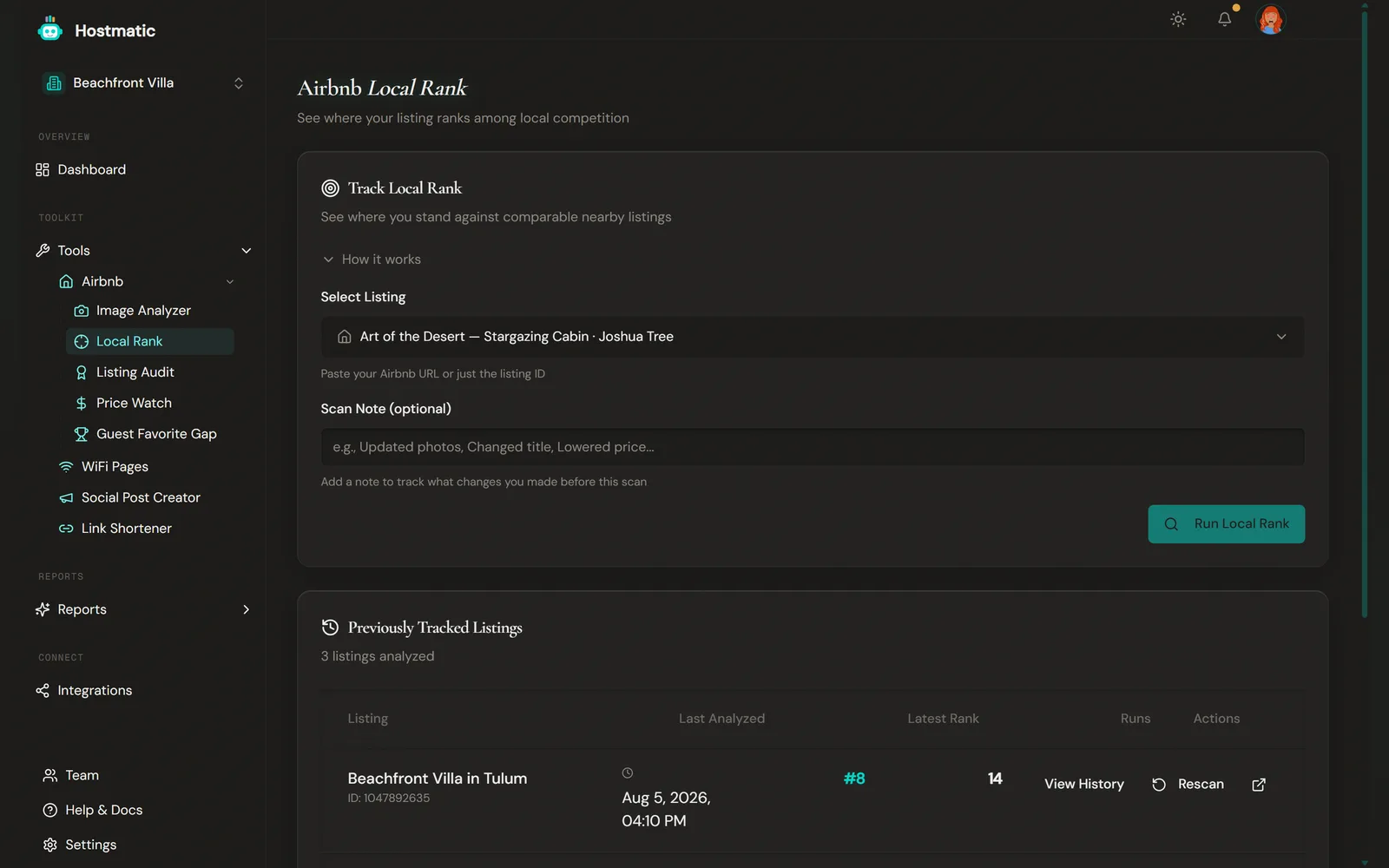
Step-by-Step: Run a Local Rank Scan
1. Pick a Listing
Choose one of your connected Airbnb listings from the dropdown. To add a new listing, click Add a new listing… and enter the Airbnb Listing ID or URL in the field that appears.
2. Run the Scan
Click Run Local Rank. The scan searches your local market for comparable listings, filters them for quality, and ranks. A typical scan takes ~45–60 seconds.
3. Read the Result
You'll see:
- Your rank — e.g. "#3 of 28"
- Stat tiles — current rank, average rank, best rank, worst rank
- Top Comparables table — the top 10 comparable listings with distance, trust score, bedrooms, price, rating and review count, each linking to Airbnb
- Listing Changes Detected card — if your title, description, price, rating, review count, photo count, or amenity count changed since the last scan, it's surfaced here
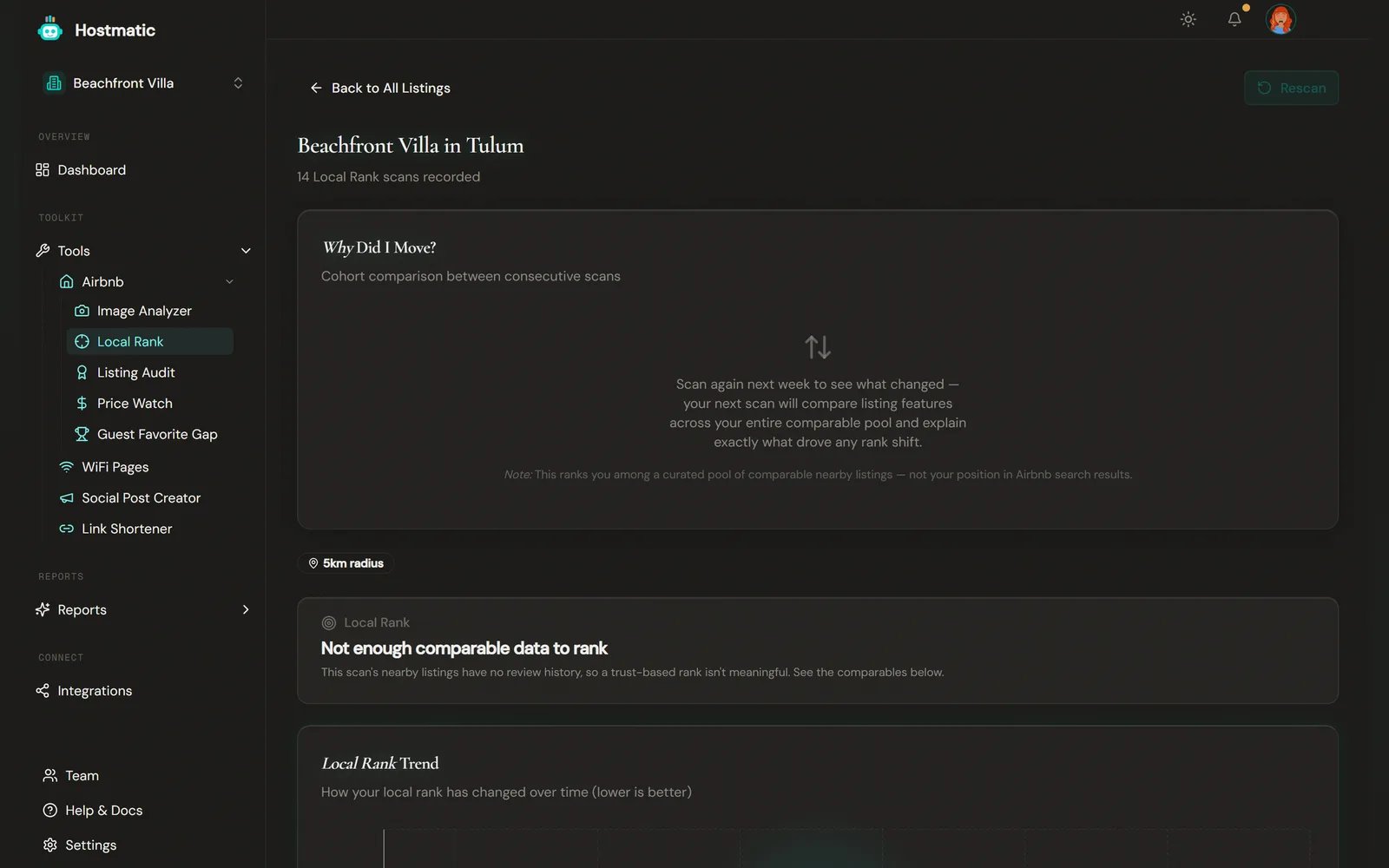
Automatic Comparable Search
Every scan starts from the listings Airbnb itself shows as similar to yours, so you get the same comparable search whether you enter a URL or a listing ID, and whether or not you own the listing.
Credits
| Operation | Credits |
|---|---|
| Local Rank scan | 2 |
Flat 2 credits per scan, regardless of how many comparables get analyzed. Reanalysis pricing is the same — the cost is dominated by the comparable-search pipeline, not the listing under analysis.
History and Notes
Every scan is saved to the history table on the landing page. Each row has:
- Listing name (the cleaned Airbnb title) and listing ID
- Date and rank of the latest scan
- View History and Rescan actions
Add a Scan Note before running (e.g. "lowered price", "new photos"), or edit notes on each scan in the listing's Local Rank History table. Notes explain swings in the trend chart later.
Open any listing's drilldown to see:
- A trend chart of your rank over time
- Stats cards — current, average, best, and worst rank
- Top Comparables table that updates with every scan
- Listing Changes Detected card, shown right after a scan when your listing changed
The listings table has a date-range filter (default last 90 days), capped by plan: Free 90 days, Weekend 180 days, Pro 1 year. A listing's history view shows its last 30 days of scans.
Search Position Sampler *(paid plans)*
Local Rank answers "how do I compare to my competitors". The Search Position Sampler answers a different question: "is my listing showing up higher or lower in Airbnb search than it used to?"
Turn it on per listing. Once a week, Hostmatic runs three logged-out Airbnb searches for that listing — a standard date window, a weekend stay, and one fewer guest — and records where the listing landed in each. Three searches, because a single anonymous search is noisy: results shift with dates and party size, so one snapshot can't separate a real move from a different search.
Read the trend, not the number. These are signed-out searches. Airbnb personalises what a real guest sees based on their browsing and saved listings, so the position here is not what any one guest gets. What it gives you is a consistent measure week over week, which is the part you can act on.
| Availability | Weekend Host: 1 listing. Pro Host: every tracked listing. Not on Free. |
| Cost | 1 credit per weekly sample |
| Cadence | Once a week per opted-in listing |
If your credits run out, sampling pauses itself on that listing rather than failing quietly. Turn it back on once you top up.
Rank Drop Alerts
When a scan puts a listing 3 or more places lower than the previous scan, Hostmatic raises a notification in the bell menu at the top of the app — for example "Beachfront Villa fell 4 spots in local search."
Two things to know:
- The alert is triggered by a scan, not on a schedule. Nothing checks your rank in the background, so run Local Rank on a regular cadence if you want to catch movement.
- It's in-app only. There is no email or push notification for a rank drop.
Filter Funnel Breakdown
Under Top Comparables, open Why N dropped? to see how many nearby listings were excluded for a different property type, guest capacity (±2), bed count (±1), or having no reviews yet. Useful in sparse markets when you want to know why the comparable count is small.
How to Use Local Rank
- Run monthly to establish a baseline trend. Comparable markets move slowly — weekly scans add noise without signal.
- Stack it with Listing Audit and Image Analyzer. Local Rank tells you where you sit; the other two tools tell you what to fix to climb.
- Watch the Top Comparables table. The listings ranking above you are your direct competition. Look at their photos, their amenities, their review patterns. They're not winning by accident.
- Use scan notes to record changes. When you raise your price or add a hot tub, leave a note. The trend chart becomes a record of what worked.
Tip: Don't chase the #1 slot if your trust score is rising. Climbing from #15 → #8 is real progress even if there's still a quality gap to the top. Rank position is meaningful only relative to your own history and to the gap-to-leader.
Common Questions
- "None were directly comparable" — Your area is sparse, or nearby listings differ too much in type, guests, or beds, or have no reviews yet. Check Why N dropped? under Top Comparables.
- My rank jumped 10 positions overnight. — Usually a small change in your trust score moves you a lot when the comparable set is tight. Check the Why Did I Move? panel to see what changed on your listing and your competitors'.
- Why do I see the same comparable in different positions across scans? — Their trust score moved (they earned reviews) or yours did. Both are normal.
- Can I rank against a listing I don't own? — Yes. Click Add a new listing… and enter the Airbnb URL or listing ID.
- What happened to the "Position Tracker subscription"? — Replaced with credit-based access. Available on every plan now.